


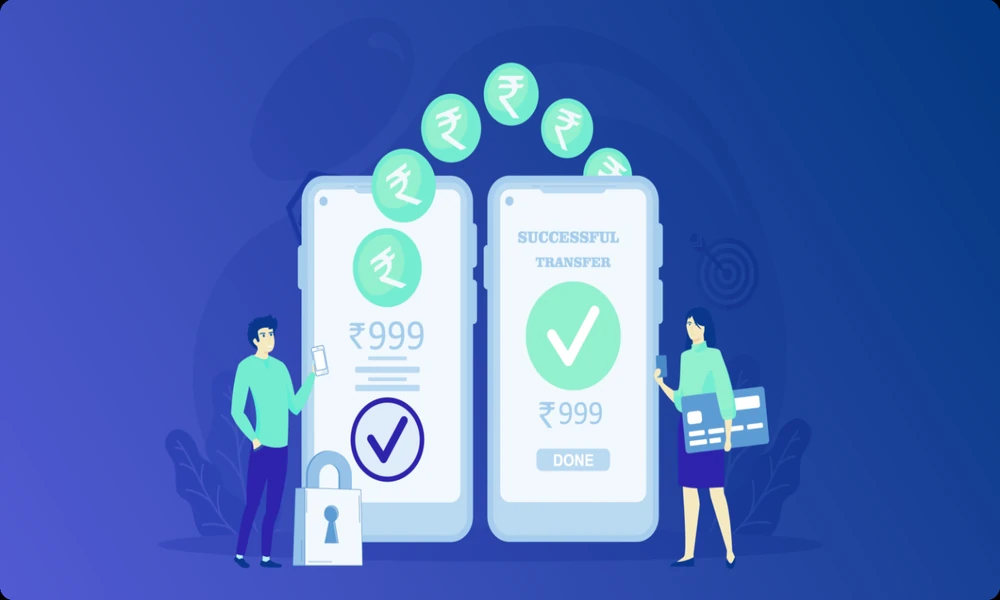
An online UPI payment app helps users send and receive money directly from a linked bank account. It is widely used for daily payments such as grocery purchases, rent transfers, food orders, fuel payments, shopping, mobile recharges, and merchant transactions. The process is simple because users can pay through a UPI ID, mobile number, QR code, or bank details.
For many people in India, UPI has become a regular payment method because it works without cash and reduces the need to enter full banking details for every transaction. Still, users should understand how it works, what safety steps matter, and how to avoid common payment mistakes.
What Is an Online UPI Payment App
An online UPI payment app is a mobile application that supports payments through the Unified Payments Interface. It links the user’s bank account to a UPI ID and allows instant money transfers after PIN verification.
The app does not usually store money like a prepaid wallet. Instead, payments are debited from the linked bank account. This makes it useful for users who want direct bank-to-bank transfers through a mobile phone.
A user can also link more than one bank account in many apps and select the preferred account before making a payment.
How the App Works
The user starts by installing the app and verifying the mobile number linked with the bank account. After verification, the app detects supported bank accounts and allows the user to create or select a UPI ID.
To make a payment, the user enters the receiver’s details, scans a QR code, or selects a saved contact. The payment is completed only after entering the UPI PIN. Once successful, both sender and receiver usually receive confirmation.
This process makes the app useful for small and regular payments where speed and ease matter.
Where People Use Online UPI PaymentsDaily Shopping
Users can pay at grocery stores, pharmacies, restaurants, salons, fuel stations, and local shops by scanning a QR code.
Money Transfers
UPI can be used to send money to friends, family members, landlords, service providers, or small business owners.
Online Purchases
Many websites and apps allow UPI as a checkout option. Users can approve the payment request from their app.
Recharge and Bill Payments
Some apps also support mobile recharge, broadband dues, electricity bills, gas bills, and DTH payments.
Small Business Collections
Small merchants can accept payments through QR codes and keep a digital record of customer transactions.
Why Users Prefer UPI Apps
Users prefer UPI apps because payments are fast and available through mobile phones. There is no need to carry cash for every purchase or enter card details repeatedly.
Another benefit is transaction history. Users can check when a payment was made, to whom it was sent, and whether it was successful. This is useful for personal budgeting and resolving payment confusion.
UPI also works across many banks and merchants, making it suitable for both personal and business use.
Important Features to Check
A good online UPI payment app should provide a clean payment flow, clear receiver details, transaction history, complaint support, and security controls.
Secure Login
The app should support PIN, fingerprint, face unlock, or other secure login options.
Clear Receiver Details
Before payment approval, the app should show the receiver name clearly. This helps reduce wrong transfers.
Transaction Records
Users should be able to check successful, failed, and pending payments with transaction IDs.
Complaint Support
A useful app should allow users to raise complaints for failed or delayed payments.
Bank Account Management
Users should be able to add, remove, or switch bank accounts when needed.
UPI Payments and Financial Planning
UPI is often used for daily expenses, so it can affect monthly budgeting. When users make many small payments, the total amount may become larger than expected. Reviewing transaction history can help users understand spending patterns.
For example, regular payments for food, travel, shopping, subscriptions, and household items can be checked weekly. This helps users control unnecessary expenses and plan better.
In the middle of financial decisions, some users may compare payment habits with borrowing needs such as Personal Loan, but any loan decision should be based on repayment capacity, not only on short-term cash requirements.
Safety Tips for UPI App Users
Users should never share their UPI PIN, OTP, password, or card PIN with anyone. A UPI PIN is required to send money, not to receive it. If someone asks the user to enter a PIN for receiving money, the request should be treated carefully.
Payments should be made only after checking the receiver name and amount. This is especially important when scanning QR codes at public places.
Users should avoid unknown payment links received through messages, emails, or social media. It is safer to open the app directly and complete the payment from there.
Public Wi-Fi should also be avoided during financial transactions. A secure network and updated app reduce payment-related risks.
Common Mistakes to Avoid
One common mistake is approving collect requests without checking details. A collect request may debit money from the user’s account after PIN approval.
Another mistake is sending money to the wrong mobile number or UPI ID. Users should verify the receiver name before confirming.
Some users ignore failed payment status. If money is debited but the receiver does not get it, the transaction ID should be saved and a complaint should be raised through the app or bank.
Users should also avoid installing payment apps from unknown sources. Apps should be downloaded only from official app stores.
What to Do If a Payment Fails
A payment may fail due to bank server issues, poor internet, wrong details, daily limits, or technical errors. If the amount is not debited, the user can try again after some time.
If the amount is debited but payment is not completed, users should check the transaction status inside the app. Many failed transactions are reversed within the bank’s standard timeline.
If the reversal is delayed, users should raise a complaint with the transaction ID and payment details. Keeping screenshots and confirmation messages can help during follow-up.
How Small Businesses Use UPI Apps
Small businesses use UPI apps to accept payments without handling too much cash. A merchant QR code allows customers to pay directly from their bank account.
This helps shop owners, freelancers, service providers, and home businesses maintain payment records. However, business users should regularly match payment alerts with actual sales.
For better tracking, it may be useful to keep business payments separate from personal transactions.
Conclusion
An online UPI payment app can make daily money transfers, shopping payments, bill dues, and small business collections easier to manage. It supports quick bank-to-bank payments and gives users access to transaction records from their mobile phone.
The best way to use UPI is to stay careful with payment approvals, verify receiver details, protect the UPI PIN, avoid unknown links, and review payment history regularly. With safe habits, users can manage daily payments more clearly and reduce avoidable transaction mistakes.
Frequently Asked Questions
What is an online UPI payment app?
An online UPI payment app is a mobile application that allows users to send and receive money through linked bank accounts using UPI.
Is an online UPI payment app safe?
Yes, it is safe when users protect their UPI PIN, verify payment details, and use trusted apps.
Can I use UPI without a bank account?
UPI payments generally require a bank account linked to the mobile number used for registration.
Do I need a PIN to receive money through UPI?
No, a UPI PIN is required to send money or approve payment requests, not to receive money.
What should I do if my UPI payment is pending?
Check the transaction status, save the transaction ID, and raise a complaint through the app or bank if the issue is not resolved.